Manual.ly Logo

ASUS ROG Eye S Manual

0,0 · 0 Evaluări

Manual PDF · 2 pagini

Română

M: QW-35-FL
pagină

/ 2

Loading...
c1f5e8c2e23812fe5981e17fe3ee01fa45f9 page 2
SK
Obsah balenia
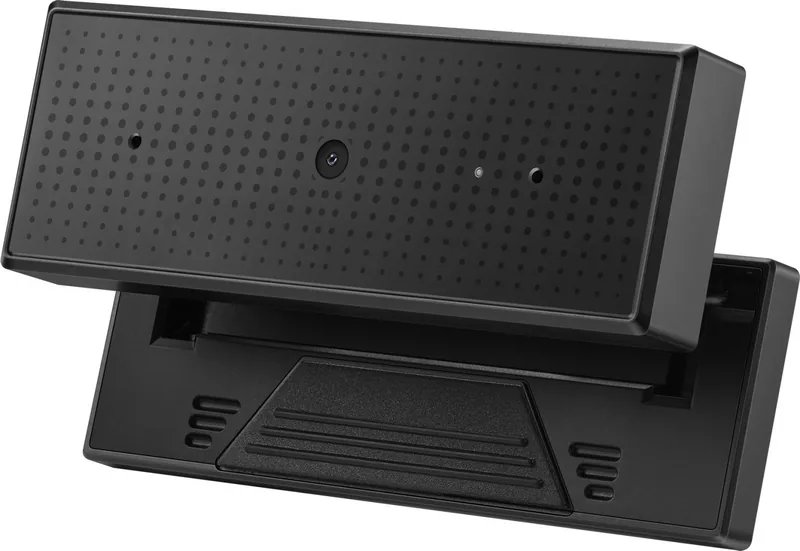
• Webová kamera ROG EYE S
• Návod na obsluhu
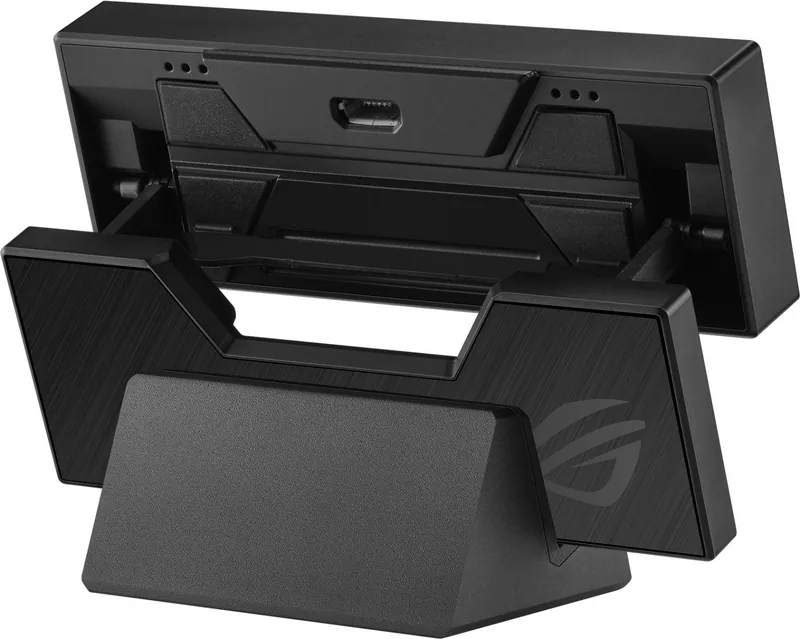
• Pevná základňa
Začíname
Spôsob nastavenia webovej kamery:
1. USB kábel pripojte k USB portu počítača.
2. Ovládač si prevezmite z lokality http://www.asus.com a potom ho nainštalujte do počítača.
Požiadavky na systém
• Windows® 10 / Windows® 8.1 / Windows® 7
• 100 MB voľného miesta na pevnom disku
(na optimálnu inštaláciu softvéru)
• Nesprávne pripojenie (na prevzatie voliteľného softvéru)
• USB port
RO
FI
HUG
NW
SW
Notices
Limitation of Liability
Circumstances may arise where because of a default on ASUS’ part or other liability, you are entitled to
recover damages from ASUS. In each such instance, regardless of the basis on which you are entitled to
claim damages from ASUS, ASUS is liable for no more than damages for bodily injury (including death) and
damage to real property and tangible personal property; or any other actual and direct damages resulted
from omission or failure of performing legal duties under this Warranty Statement, up to the listed contract
price of each product.
ASUS will only be responsible for or indemnify you for loss, damages or claims based in contract, tort or
infringement under this Warranty Statement.
This limit also applies to ASUS’ suppliers and its reseller. It is the maximum for which ASUS, its suppliers, and
your reseller are collectively responsible.
UNDER NO CIRCUMSTANCES IS ASUS LIABLE FOR ANY OF THE FOLLOWING: (1) THIRD-PARTY CLAIMS
AGAINST YOU FOR DAMAGES; (2) LOSS OF, OR DAMAGE TO, YOUR RECORDS OR DATA; OR (3) SPECIAL,
INCIDENTAL, OR INDIRECT DAMAGES OR FOR ANY ECONOMIC CONSEQUENTIAL DAMAGES (INCLUDING
LOST PROFITS OR SAVINGS), EVEN IF ASUS, ITS SUPPLIERS OR YOUR RESELLER IS INFORMED OF THEIR
POSSIBILITY.
CE Mark Warning
REACH
Complying with the REACH (Registration, Evaluation, Authorisation, and Restriction of Chemicals)
regulatory framework, we published the chemical substances in our products at ASUS REACH website at
http://csr.asus.com/english/REACH.htm.
Proper disposal
DO NOT throw the device in municipal waste. This product has been designed to enable
proper reuse of parts and recycling. The symbol of the crossed out wheeled bin indicates that
the product (electrical, electronic equipment and mercury-containing button cell battery)
should not be placed in municipal waste. Check local regulations for disposal of electronic
products.
DO NOT throw the device in re. DO NOT short circuit the contacts.
DO NOT disassemble the device.
ASUS Recycling/Takeback Services
ASUS recycling and takeback programs come from our commitment to the highest standards for protecting
our environment. We believe in providing solutions for you to be able to responsibly recycle our products,
batteries, other components as well as the packaging materials. Please go to http://csr.asus.com/english/
Takeback.htm for detailed recycling information in dierent regions.
Manufacturer ASUSTek COMPUTER INC.
Address, City 1F., No. 15, Lide Rd., Beitou Dist., Taipei City 112, Taiwan
Authorized Representative in Europe ASUS COMPUTER GmbH
City Address HARKORT STR. 21-23, 40880 RATINGEN
Country GERMANY
Magyar Az ASUSTeK Computer Inc. ezennel kijelenti, hogy ez az eszköz megfelel a kapcsolódó Irányelvek
lényeges követelményeinek és egyéb vonatkozó rendelkezéseinek. Az EU megfelelőségi nyilatkozat teljes
szövege innen letölthető: www.asus.com/support
Latviski ASUSTeK Computer Inc. ar šo pazio, ka šī ierīce atbilst saistīto Direktīvu būtiskajām prasībām un
citiem citiem saistošajiem nosacījumiem. Pilns ES atbilstības paziojuma teksts pieejams šeit:
www.asus.com/support
Lietuvių „ASUSTeK Computer Inc.“ šiuo tvirtina, kad šis įrenginys atitinka pagrindinius reikalavimus ir kitas
svarbias susijusių direktyvų nuostatas. Visą ES atitikties deklaracijos tekstą galima rasti:
www.asus.com/support
Norsk ASUSTeK Computer Inc. erklærer herved at denne enheten er i samsvar med hovedsaklige krav og
andre relevante forskrifter i relaterte direktiver. Fullstendig tekst for EU-samsvarserklæringen nnes på:
www.asus.com/support
Polski Firma ASUSTeK Computer Inc. niniejszym oświadcza, że urządzenie to jest zgodne z zasadniczymi
wymogami i innymi właściwymi postanowieniami powiązanych dyrektyw. Pełny tekst deklaracji zgodności
UE jest dostępny pod adresem: www.asus.com/support
Português A ASUSTeK Computer Inc. declara que este dispositivo está em conformidade com os requisitos
essenciais e outras disposições relevantes das Diretivas relacionadas. Texto integral da declaração da UE
disponível em: www.asus.com/support
Română ASUSTeK Computer Inc. declară că acest dispozitiv se conformează cerinelor eseniale i
altor prevederi relevante ale directivelor conexe. Textul complet al declaraiei de conformitate a Uniunii
Europene se găsete la: www.asus.com/support
Srpski ASUSTeK Computer Inc. ovim izjavljuje da je ovaj uređaj u saglasnosti sa osnovnim zahtevima i
drugim relevantnim odredbama povezanih Direktiva. Pun tekst EU deklaracije o usaglašenosti je dostupan
da adresi: www.asus.com/support
Slovensky Spoločnosť ASUSTeK Computer Inc. týmto vyhlasuje, že toto zariadenie vyhovuje základným
požiadavkám a ostatým príslušným ustanoveniam príslušných smerníc. Celý text vyhlásenia o zhode pre
štáty EÚ je dostupný na adrese: www.asus.com/support
Slovenščina ASUSTeK Computer Inc. izjavlja, da je ta naprava skladna z bistvenimi zahtevami in drugimi
ustreznimi določbami povezanih direktiv. Celotno besedilo EU-izjave o skladnosti je na voljo na spletnem
mestu: www.asus.com/support
Español Por la presente, ASUSTeK Computer Inc. declara que este dispositivo cumple los requisitos básicos
y otras disposiciones pertinentes de las directivas relacionadas. El texto completo de la declaración de la UE
de conformidad está disponible en: www.asus.com/support
Svenska ASUSTeK Computer Inc. förklarar härmed att denna enhet överensstämmer med de
grundläggande kraven och andra relevanta föreskrifter i relaterade direktiv. Fulltext av EU-försäkran om
överensstämmelse nns på: www.asus.com/support
Українська ASUSTeK Computer Inc. заявляє, що цей пристрій відповідає основним вимогам та іншим
відповідним положенням відповідних Директив. Повний текст декларації відповідності стандартам ЄС
доступний на:
www.asus.com/support
Türkçe AsusTek Computer Inc., bu aygıtın temel gereksinimlerle ve ilikili Yönergelerin diğer ilgili
koullarıyla uyumlu olduğunu beyan eder. AB uygunluk bildiriminin tam metni u adreste bulunabilir:
www.asus.com/support
Bosanski ASUSTeK Computer Inc. ovim izjavljuje da je ovaj uređaj usklađen sa bitnim zahtjevima i ostalim
odgovarajućim odredbama vezanih direktiva. Cijeli tekst EU izjave o usklađenosti dostupan je na:
www.asus.com/support
ASUSTek Computer Inc. 
 
.
www.asus.com/support

English ASUSTeK Computer Inc. hereby declares that this device is in compliance with the essential
requirements and other relevant provisions of related Directives. Full text of EU declaration of conformity is
available at: www.asus.com/support
Français AsusTek Computer Inc. déclare par la présente que cet appareil est conforme aux critères
essentiels et autres clauses pertinentes des directives concernées. La déclaration de conformité de l’UE
peut être téléchargée à partir du site Internet suivant : www.asus.com/support.
Deutsch ASUSTeK Computer Inc. erklärt hiermit, dass dieses Gerät mit den wesentlichen Anforderungen
und anderen relevanten Bestimmungen der zugehörigen Richtlinien übereinstimmt. Der gesamte Text der
EU-Konformitätserklärung ist verfügbar unter: www.asus.com/support
Italiano ASUSTeK Computer Inc. con la presente dichiara che questo dispositivo è conforme ai requisiti
essenziali e alle altre disposizioni pertinenti con le direttive correlate. Il testo completo della dichiarazione
di conformità UE è disponibile all’indirizzo: www.asus.com/support
Русский Компания ASUS заявляет, что это устройство соответствует основным требованиям и другим
соответствующим условиям соответствующих директив. Подробную информацию, пожалуйста,
смотрите на
www.asus.com/support
Български С настоящото ASUSTeK Computer Inc. декларира, че това устройство е в съответствие със
съществените изисквания и другите приложими постановления на свързаните директиви. Пълният
текст на декларацията за съответствие на ЕС е достъпна на адрес:
www.asus.com/support
Hrvatski ASUSTeK Computer Inc. ovim izjavljuje da je ovaj uređaj sukladan s bitnim zahtjevima i ostalim
odgovarajućim odredbama vezanih direktiva. Cijeli tekst EU izjave o sukladnosti dostupan je na:
www.asus.com/support
Čeština Společnost ASUSTeK Computer Inc. tímto prohlašuje, že toto zařízení splňuje základní požadavky a
další příslušná ustanovení souvisejících směrnic. Plné znění prohlášení o shodě EU je k dispozici na adrese:
www.asus.com/support
Dansk ASUSTeK Computer Inc. erklærer hermed, at denne enhed er i overensstemmelse
med hovedkravene og andre relevante bestemmelser i de relaterede direktiver. Hele EU-
overensstemmelseserklæringen kan ndes på: www.asus.com/support
Nederlands ASUSTeK Computer Inc. verklaart hierbij dat dit apparaat voldoet aan de essentiële vereisten
en andere relevante bepalingen van de verwante richtlijnen. De volledige tekst van de EU-verklaring van
conformiteit is beschikbaar op: www.asus.com/support
Eesti Käesolevaga kinnitab ASUSTeK Computer Inc, et see seade vastab asjakohaste direktiivide oluliste
nõuetele ja teistele asjassepuutuvatele sätetele. EL vastavusdeklaratsiooni täielik tekst on saadaval
järgmisel aadressil: www.asus.com/support
Suomi ASUSTeK Computer Inc. ilmoittaa täten, että tämä laite on asiaankuuluvien direktiivien olennaisten
vaatimusten ja muiden tätä koskevien säädösten mukainen. EU-yhdenmukaisuusilmoituksen koko teksti
on luettavissa osoitteessa: www.asus.com/support
Ελληνικά Με το παρόν, η AsusTek Computer Inc. δηλώνει ότι αυτή η συσκευή συορφώνεται ε τι
θεελιώδει απαιτήσει και άλλε σχετικέ διατάξει των Οδηγιών τη ΕΕ. Το πλήρε κείενο τη δήλωση
συβατότητα είναι διαθέσιο στη διεύθυνση: www.asus.com/support
BSMI
低功率電波輻射性電機管理辦法
第十二條
取得審驗證明之低功率射頻器材,非經核准,公司、商號或使用者均不得擅自變更頻率、加大功率或變更原設計之特
性及功能。
第十四條
低功率射頻器材之使用不得影響飛航安全及干擾合法通信;經發現有干擾現象時,應立即停用,並改善至無干擾時方
得繼續使用。前述合法通信,指依電信管理法規定作業之無線電通信。
低功率射頻器材須忍受合法通信或工業、科學及醫療用電波輻射性電機設備之干擾。
VCCI: Japan Compliance Statement
VCCI Class B Statement
VCCI 準拠クラス B 機器(日本)
この装置は、クラス B 情報技術 装置です。この装置は、家庭環境で使 用することを目的としていますが、この
装置がラジオやテレビジョン受信機に近接して使用されると、受 信障害を引き起こすことがあります。
取扱説明書に従って正しい取り扱いをして下さい。
Federal Communications Commission Statement
This device complies with Part 15 of the FCC Rules. Operation is subject to the following two conditions:
• This device may not cause harmful interference.
• This device must accept any interference received including interference that may cause undesired
operation.
This equipment has been tested and found to comply with the limits for a Class B digital device, pursuant
to Part 15 of the FCC Rules. These limits are designed to provide reasonable protection against harmful
interference in a residential installation. This equipment generates, uses and can radiate radio frequency
energy and, if not installed and used in accordance with manufacturer’s instructions, may cause harmful
interference to radio communications. However, there is no guarantee that interference will not occur in a
particular installation. If this equipment does cause harmful interference to radio or television reception,
which can be determined by turning the equipment o and on, the user is encouraged to try to correct the
interference by one or more of the following measures:
• Reorient or relocate the receiving antenna.
• Increase the separation between the equipment and receiver.
• Connect the equipment to an outlet on a circuit dierent from that to which the receiver is connected.
• Consult the dealer or an experienced radio/TV technician for help.
CAUTION! The use of shielded cables for connection of the monitor to the graphics card is required to assure
compliance with FCC regulations. Changes or modications to this unit not expressly approved by the party
responsible for compliance could void the user’s authority to operate this equipment.
Canada, Industry Canada (IC) Notices
This Class B digital apparatus complies with Canadian ICES-003.
Operation is subject to the following two conditions: (1) this device may not cause interference, and (2)
this device must accept any interference, including interference that may cause undesired operation of the
device.
Canada, avis d’Industrie Canada (IC)
Cet appareil numérique de classe B est conforme aux normes canadiennes ICES-003.
Son fonctionnement est soumis aux deux conditions suivantes: (1) cet appareil ne doit pas causer
d’interférence et (2) cet appareil doit accepter toute interférence, notamment les interférences qui peuvent
aecter son fonctionnement.
R-R-MSQ-GC21S
KC: Korea Warning Statement
部件名称 有害物质
铅 (Pb) 汞 (Hg) 镉 (Cd) 六价铬 (Cr (VI)) 多溴联苯
(PBB)
多溴二苯醚
(PBDE)
印刷电路板及其电子组件
×
○ ○ ○ ○ ○
外壳
○
○ ○ ○ ○ ○
外部信号连接头及线材
○
○ ○ ○ ○ ○
其它
×
○ ○ ○ ○ ○
本表格依據 SJ/T 11364 的規定編制。
○: 表示該有害物質在該部件所有均質材料中的含量均在 GB/T 26572 規定的限量要求以下。
×: 表示該有害物質至少在該部件的某一均質材料中的含量超出 GB/T 26572 規定的限量要求,然該部件仍符合歐盟指令 2011/65/EU 的規范。
備註:此產品所標示之環保使用期限,係指在一般正常使用狀況下。
電子電氣產品有害物質限制使用標識:圖中之數字為產品之環保使用期限。僅指電子電氣產品
中含有的有害物質不致發生外洩或突變,從而對環境造成汙染或對人身、財產造成嚴重損害的
期限。
單元 限用物質及其化學符號
鉛 (Pb) 汞 (Hg) 鎘 (Cd) 六價鉻 (Cr+6) 多溴聯苯 (PBB) 多溴二苯醚 (PBDE)
印刷電路板及電子組件
-
○ ○ ○ ○ ○
外殼
○ ○ ○ ○ ○ ○
滾輪裝置
-
○ ○ ○ ○ ○
其他及其配件
-
○ ○ ○ ○ ○
備考 1. “O”係指該項限用物質之百分比含量未超出百分比含量基準值。
備考 2. “-”係指該項限用物質為排除項目。
限用物質及其化學符號:
Coninutul pachetului
• Cameră web ROG EYE S
• Documentaie pentru utilizator
• Suport
Noiuni introductive
Pentru a congura camera web:
1. Conectai cablul USB la portul USB de pe computer.
2. Descărcai driverul de la adresa http://www.asus.com, apoi instalai-l în computer.
Cerine de sistem
• Windows® 10 / Windows® 8.1 / Windows® 7
• 100 MB de spaiu pe hard disk (pentru instalarea de software
opional)
• Conexiune la Internet (pentru descărcarea software-ului opional)
• Port USB
A csomag tartalma
• ROG EYE S webkamera
• Felhasználói dokumentáció
• Álló talpazat
Első lépések
A webkamera beállítása:
1. Csatlakoztassa az USB-kábelt a számítógép USB portjához.
2. Töltse le az illesztőprogramot a http://www.asus.com oldalról, majd telepítse számítógépére.
Rendszerkövetelmények System requirements
• Windows® 10 / Windows® 8.1 / Windows® 7
• 100 MB szabad merevlemez-terület (az opcionális szoftver
telepítéséhez)
• Internetkapcsolat (az opcionális szoftver letöltéséhez)
• USB-port
Förpackningens innehåll
• ROG EYE S-webbkamera
• Användardokumentation
• Fot
Komma igång
För att ställa in din webbkamer:
1. Anslut USB-kabeln till datorns USB-port.
2. Hämta drivrutinen på http://www.asus.com och installera den sedan på datorn.
Systemkrav
• Windows® 10 / Windows® 8.1 / Windows® 7
• 100 MB hårddiskutrymme (för valfri programinstallation)
• Internetanslutning (för hämtning av valfri programvara)
• USB-port
Pakkauksen sisältö
• ROG EYE S-verkkokamera
• Käyttäjän asiakirjat
• Jalusta
Näin pääset alkuun
Verkkokameran asettaminen:
1. Liitä USB-kaapeli tietokoneen USB-porttiin.
2. Lataa ajuri osoitteesta http://www.asus.com ja asenna se tietokoneeseen.
Järjestelmävaatimukset
• Windows® 10 / Windows® 8.1 / Windows® 7
• 100 Mt kiintolevytilaa
(valinnaisen ohjelmiston asentamista varten)
• Internet-yhteys (valinnaisen ohjelmiston lataamista varten)
• USB-portti
Innholdet i pakken
• ROG EYE S-webkamera
• Brukerdokumentasjon
• Stativ
Komme i gang
Slik setter du opp webkameraet:
1. Koble USB-kabelen til datamaskinens USB-port.
2. Last ned driveren fra http://www.asus.com, og installer den på datamaskinen.
Systemkrav
• Windows® 10 / Windows® 8.1 / Windows® 7
• 100 MB ledig plass på harddisken (for å installere valgfri
programvare)
• Internett-tilkobling (for å laste ned valgfri programvare)
• USB-port
ARB
 
•Windows
®
10/Windows
®
8.1/Windows
®
7
•100
•(   
•USB
  

.USBUSB
http://www.asus.com
 
•ROG EYE S
•
•
HB

ROG EYE S




.  USB-   USB-    .1
.     http://www.asus.com-     .2

Windows
®
10 / Windows
®
8.1 / Windows
®
7 •
100MB •

USB •

Discută cu manualul ASUS ROG Eye S folosind AI

Obține răspunsuri instantanee de la AI din manualul ASUS ROG Eye S

Întreabă orice despre ASUS ROG Eye S. Răspunsurile provin din acest manual, împreună cu paginile pe care se bazează.

Adresă o Întrebare

0/1000

Recomandați ROG Eye S?

Da Nu

Frequently Asked Questions

A

Webcam-ul este complet compatibil cu Windows 10, Windows 8.1 și Windows 7. Suportă funcționalitatea plug-and-play pe aceste sisteme fără a necesita drivere suplimentare pentru operațiunea de bază.

Este răspuns este util?

A

Nu, camera funcționează imediat la conectarea cablului USB. Totuși, poți descărca drivere opționale de pe site-ul ASUS pentru a accesa funcții avansate dacă dorești.

Este răspuns este util?

A

Microfoanele direcționale integrate sunt concepute să captureze sunetul în principal din față, minimizând eficient zgomotul de fundal din alte direcții pentru o transmitere vocală mai clară.

Este răspuns este util?

A

Pachetul conține webcam-ul ROG EYE S, un manual de utilizare sau ghid de pornire rapidă și o bază de sprijin pentru a menține camera stabilă pe biroul tău.

Este răspuns este util?

A

ROG Eye S prezintă un design lentilă fixă. Deși nu poți schimba zoom-ul optic, calitatea imaginii este optimizată pentru a asigura claritatea pe tot câmpul de vedere.

Este răspuns este util?

A

Pachetul standard nu include un obturator fizic de confidențialitate. Utilizatorii ar trebui să se bazeze pe controale software sau acoperiri externe dacă confidențialitatea este o preocupare principală.

Este răspuns este util?

M: QW-35-FL

Avantaje și Dezavantaje

Avantaje

  • Microfoanele direcționale oferă o claritate audio superioară prin reducerea zgomotului de fundal.
  • Instalarea simplă plug-and-play funcționează direct cu Windows 10, 8.1 și 7.
  • Design compact cu o bază de sprijin stabilă se potrivește perfect pe orice birou.
  • Lentila camerei de înaltă calitate funcționează bine în diverse condiții de iluminare.
  • Estetica distinctivă ROG atrage gamerii și streamerii.
VS

Dezavantaje

  • Necesită un port USB care poate limita conectivitatea pe unele laptopuri mai vechi.
  • Software-ul avansat opțional necesită o conexiune la internet pentru descărcare.
  • Conectorul Micro USB 2.0 poate fi mai puțin convenabil decât standardele moderne Type-C.
  • Lentila fixă nu poate fi ajustată manual pentru zoom sau focalizare.
  • Nu există un obturator de confidențialitate integrat inclus în pachetul standard.
M: QW-35-FL

Produs Specificație

Tip

Webcam

Senzor imagine

1x CMOS 5,0 MP

Rezoluție

1920x1080 pixeli (60fps)

Wireless

N/A

Focalizare

Autofocus

Acoperire cameră

N/A

Microfon

Integrat

Diffuzor

N/A

Iluminare

N/A

Sursă de alimentare

Prin USB

Montaj

Clip

Dimensiuni

8,1x2,87x1,65 cm

Greutate

117,93 g

M: QW-35-FL

Produs Descriere

ASUS ROG Eye S: Ridica-ți Experiența de Streaming

Webcam-ul ASUS ROG Eye S reprezintă un salt semnificativ înainte pentru creatorii de conținut și gamerii care caută calitate video de nivel profesional fără complexitatea hardware-ului extern. Proiectat cu estetica iconică ROG, acest dispozitiv îmbină capacitățile de înaltă performanță cu o formă factor elegantă care se integrează perfect în orice setare de gaming. Fie că transmiți live către mii de spectatori sau participi la conferințe video de mare importanță, ROG Eye S oferă imagini clare și crispate care captează fiecare detaliu.

În inima ROG Eye S se află sistemul său avansat de microfoane direcționale. Această funcție asigură că vocea ta vine prin tare și clar, filtrând eficient zgomotul ambiental de la tastatură, ventilatoare sau colegi de cameră. Lentila camerei este optimizată pentru condiții de lumină scăzută, permițându-ți să menții vizibilitatea chiar și când iluminatul nu este perfect. Designul compact include o bază de sprijin robustă, oferind stabilitate pe birouri de toate dimensiunile, asigurând că cadrul rămâne stabil în momente intense.

Configurarea este incredibil de simplă, necesitând niciun set software complex pentru a începe imediat. Conectează pur și simplu cablul Micro USB 2.0 inclus la portul USB al computerului tău, iar dispozitivul este recunoscut instantaneu de Windows 10, 8.1 sau 7. Pentru cei care doresc să deblocheze opțiuni suplimentare de personalizare, driverele opționale pot fi descărcate de pe site-ul oficial de suport ASUS. Pachetul include unitatea webcam, documentația utilizatorului și baza de sprijin esențială, făcând-o o soluție completă din cutie.

Puncte Cheie

  • Audio Crystal Clear: Microfoanele direcționale izolează vocea ta de distragerile de fundal.
  • Lentilă Optimizată: Inginerie pentru claritate în diverse medii de iluminare.
  • Simplicitate Plug-and-Play: Compatibil cu versiunile majore de Windows prin conexiune USB standard.
  • Estetică Gaming: Prezintă branding-ul distinctiv ROG și limba de design.
  • Montaj Stabil: Include o bază dedicată pentru plasare sigură pe orice suprafață.

Note Importante

Asigură-te că ai cel puțin 100 MB spațiu liber pe discul dur dacă alegi să instalezi funcțiile software opționale. O conexiune activă la internet este necesară doar pentru descărcarea acestor drivere. Verifică întotdeauna reglementările locale pentru eliminarea corespunzătoare a dispozitivelor electronice pentru a susține eforturile de sustenabilitate ambientală.

M: QW-35-FL

© Copyright 2026 Manual.ly