

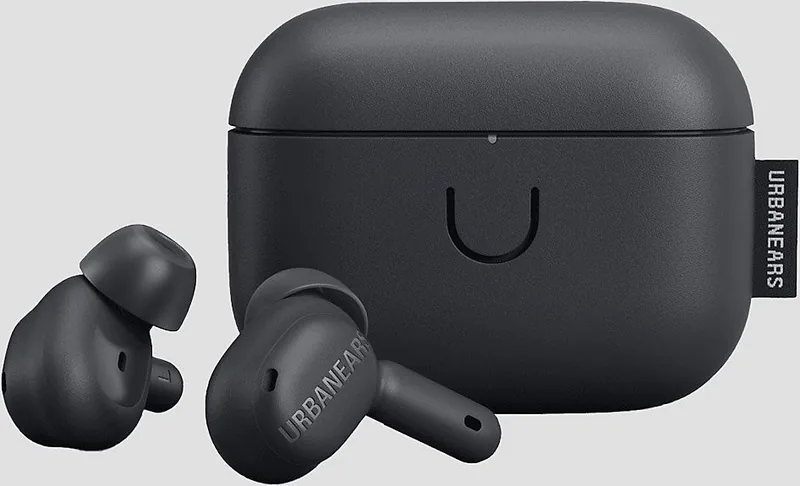
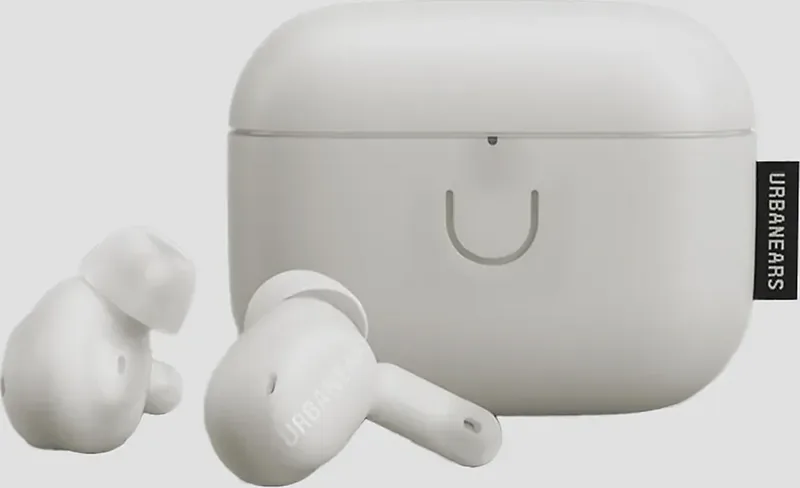
Urbanears Juno Manual
Manual PDF · 1 pagini
Română


Verificare rapida
Raspuns incorect, va rugam sa incercati din nou.
Discută cu manualul Urbanears Juno folosind AI
Obține răspunsuri instantanee de la AI din manualul Urbanears Juno
Întreabă orice despre Urbanears Juno. Răspunsurile provin din acest manual, împreună cu paginile pe care se bazează.
Adresă o Întrebare
Recomandați Juno?
Da NuFrequently Asked Questions
Put both earbuds in the case with the lid open. Hold the case button for three seconds until the LED flashes blue. Then select "Urbanears Juno" from the Bluetooth menu on your phone, tablet, or computer.
Este răspuns este util?
Yes. Urbanears Juno can be connected to two devices at the same time, making it more convenient to switch between devices such as a phone and laptop.
Este răspuns este util?
Juno provides ANC for reducing ambient noise, Transparency for letting some surrounding sound through, and Off for disabling both sound-control functions.
Este răspuns este util?
Place the earbuds in the case and close its lid to charge them. Charge the case with a USB-C power source or place it back-side down on the center of a compatible wireless charging pad.
Este răspuns este util?
Blue indicates Bluetooth pairing readiness. The case battery indicator ranges from red when low to green when full. A solid violet LED indicates the factory-reset state.
Este răspuns este util?
Remove "Urbanears Juno" from your device's Bluetooth list. Put both earbuds in the case with the lid open, then press the case button until the LED is solid violet. Select the earbuds in Bluetooth settings to pair again.
Este răspuns este util?
Avantaje și Dezavantaje
Avantaje

- Supports connection to two devices simultaneously for easier switching between phone and computer.
- Offers ANC, Transparency, and Off modes to suit focused listening or environmental awareness.
- Touch controls handle music, calls, track navigation, and noise-control changes.
- Charging case supports both USB-C power and wireless charging.
- Includes S, M, and L ear tips to help achieve a stable, comfortable seal.
Dezavantaje

- A factory reset deletes customized settings and requires the earbuds to be paired again.
- Touch controls may require app customization to match individual preferences.
- Battery care guidance discourages fast charging and exposure to temperature extremes.
- Standby activation requires tapping both earbuds after they have powered down.
- Cleaning requires care to prevent moisture from entering openings or speaker grilles.
Produs Specificație
Tip
Casti intraauriculare
Factor de formă
Complet wireless, fără cârlige pentru urechi
Design
Închis
Microfon
Integrat
Conectivitate wireless
Bluetooth 5.2, AAC, multipoint
Comenzi
Control tactil
Autonomie baterie
6 ore (cu ANC), 26 ore (cu carcasă de încărcare)
Baterie
Port de încărcare USB-C, carcasă de încărcare, încărcare wireless (Qi), timp de încărcare 2 ore
Răspuns în frecvență
20 Hz-20 kHz
Impedanță
14 ohmi
Sensibilitate
98 dB
Difuzor
0,61 cm
Caracteristici dispozitiv
Anulare activă a zgomotului (ANC), mod ambiental, rezistent la apă (IPX4)
Caracteristici software
Control prin aplicație
Greutate
4,25 g (per cască), 38,0 g (carcasă de încărcare)
Produs Descriere
Manual Urbanears Juno: Ascultare wireless de zi cu zi
Căștile true wireless Urbanears Juno sunt concepute pentru ascultătorii care doresc control flexibil al sunetului, utilizare zilnică simplă și o fixare sigură în ureche. Această prezentare a manualului Urbanears Juno evidențiază funcțiile practice care fac căștile potrivite pentru navetă, apeluri, lucru concentrat și ascultare relaxată. Cu comenzi tactile pe ambele căști, utilizatorii pot gestiona muzica și apelurile fără să ia telefonul în mână.
Controlul sunetului pentru medii diferite
Juno include trei moduri de control al sunetului care vă permit să alegeți cât de conectat doriți să vă simțiți cu lumea din jur. Anularea activă a zgomotului (ANC) ajută la reducerea sunetelor ambientale care distrag atenția, fiind utilă în spații aglomerate sau în timpul călătoriilor. Modul Transparență permite pătrunderea unor sunete din exterior, ajutându-vă să fiți mai conștient de conversații, anunțuri sau trafic. Dezactivarea controlului sunetului oferă o experiență de ascultare mai naturală atunci când niciun mod nu este necesar.
O apăsare lungă comută între modurile ANC, dezactivat și Transparență. Comenzile pot fi ajustate și în aplicația Urbanears, oferind ascultătorilor opțiunea de a adapta căștile la propriile obiceiuri.
Asociere ușoară și conexiuni duble
Asocierea începe cu ambele căști plasate în carcasa de încărcare, cu capacul rămas deschis. Țineți apăsat butonul carcasei până când LED-ul clipește albastru, apoi selectați Urbanears Juno din meniul Bluetooth al dispozitivului. Juno poate rămâne conectat la două dispozitive simultan, o funcție utilă pentru comutarea între un computer și un telefon fără asociere repetată.
Gesturile tactile mențin acțiunile principale simple. O singură atingere redă sau întrerupe sunetul și răspunde sau încheie apelurile. Atingerea dublă trece la următoarea piesă sau respinge un apel primit, iar atingerea triplă revine la piesa anterioară. Aceste gesturi fac ascultarea de zi cu zi rapidă și convenabilă.
Încărcare, fixare și îngrijire pe termen lung
Căștile se încarcă și se opresc când sunt puse înapoi în carcasă, cu capacul închis. Carcasa acceptă atât încărcare USB-C, cât și încărcare wireless, oferind utilizatorilor opțiuni convenabile acasă sau la birou. LED-ul acesteia indică starea încărcării, de la roșu pentru baterie descărcată până la verde când este complet încărcată.
Sunt incluse trei dimensiuni de dopuri pentru urechi - mică, medie și mare. Alegerea fixării potrivite este importantă deoarece o etanșare confortabilă și fermă poate îmbunătăți calitatea sunetului, performanța ANC și stabilitatea în timpul mișcării.
Curățarea regulată ajută, de asemenea, la menținerea confortului și performanței. Scoateți dopurile din silicon și curățați-le separat cu o lavetă fără scame ușor umezită sau dezinfectantă. Nu lăsați lichidele să ajungă în deschideri și grilele difuzoarelor și utilizați o perie moale și uscată sau un bețișor cu vată pentru zonele delicate.
Notă: Evitați încărcarea rapidă atunci când este posibil, mențineți nivelul bateriei peste 30% când este practic și depozitați Juno la aproximativ jumătate de încărcare într-un loc răcoros și uscat dacă nu va fi utilizat pentru o perioadă îndelungată.
Căutare pentru 67.706 Manuale online


Introduceți marca sau modelul